
Choose an instrument and start a mobile session
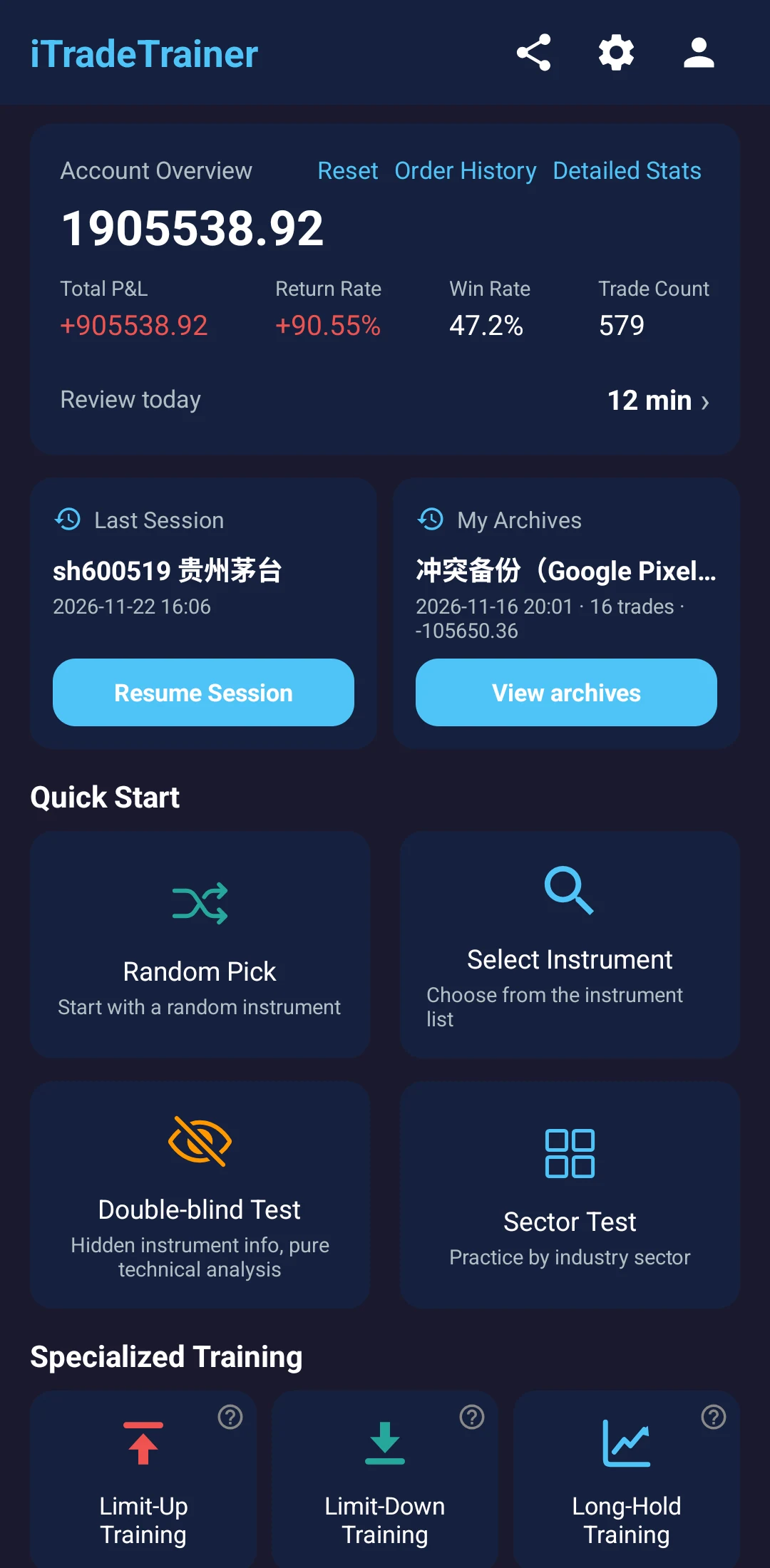
Pick a random instrument, find one by ticker, or resume your last replay from the home screen.
Choose a starting point
Under Quick Start, tap Random Pick or Select Instrument. Tap Resume Session to pick up where you left off.
Set filters for a random pick
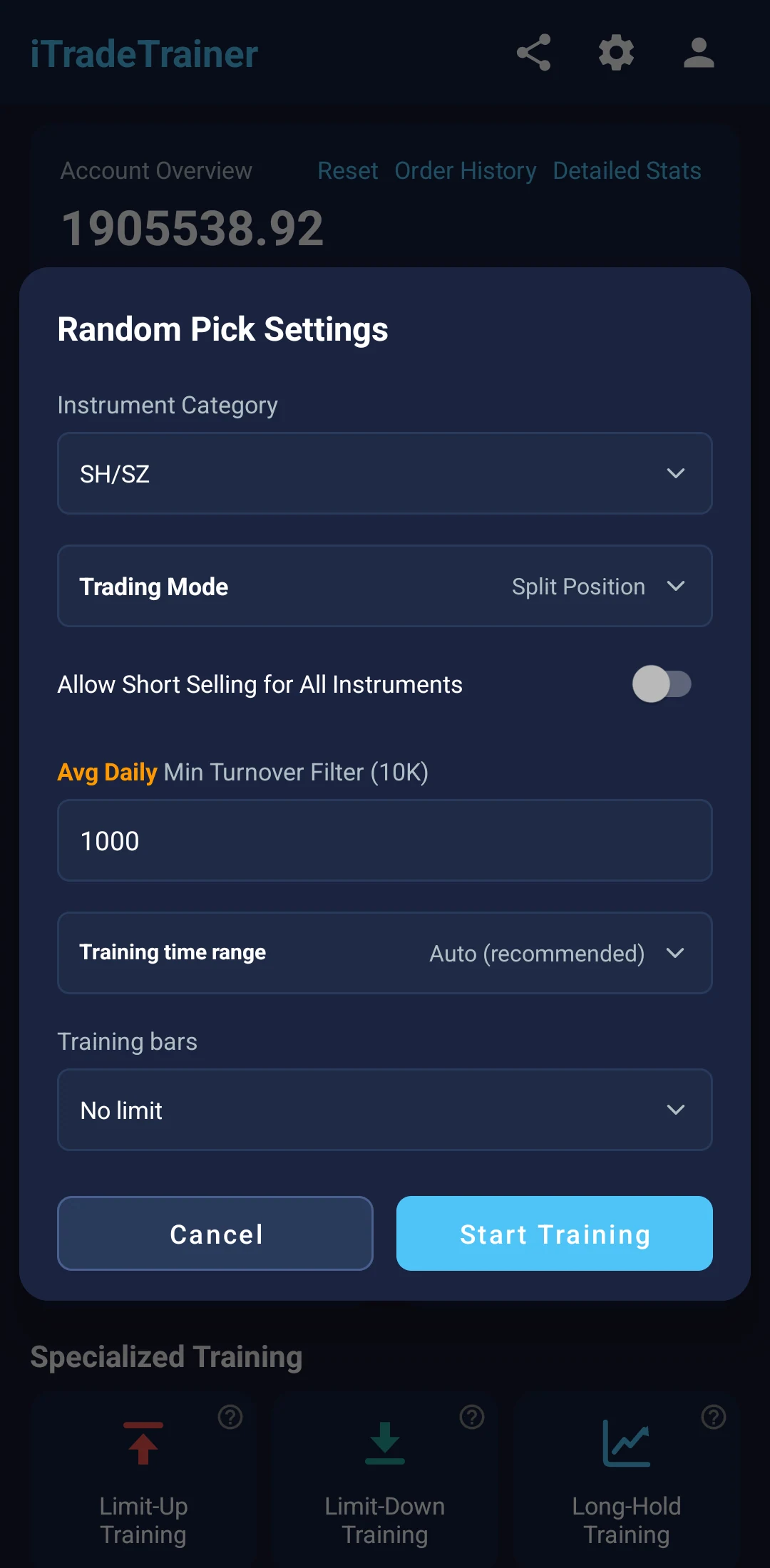
In Random Pick Settings, choose an Instrument Category and adjust the turnover filter, Trading Mode, or Training time range as needed. Tap Start Training.
Find a specific instrument
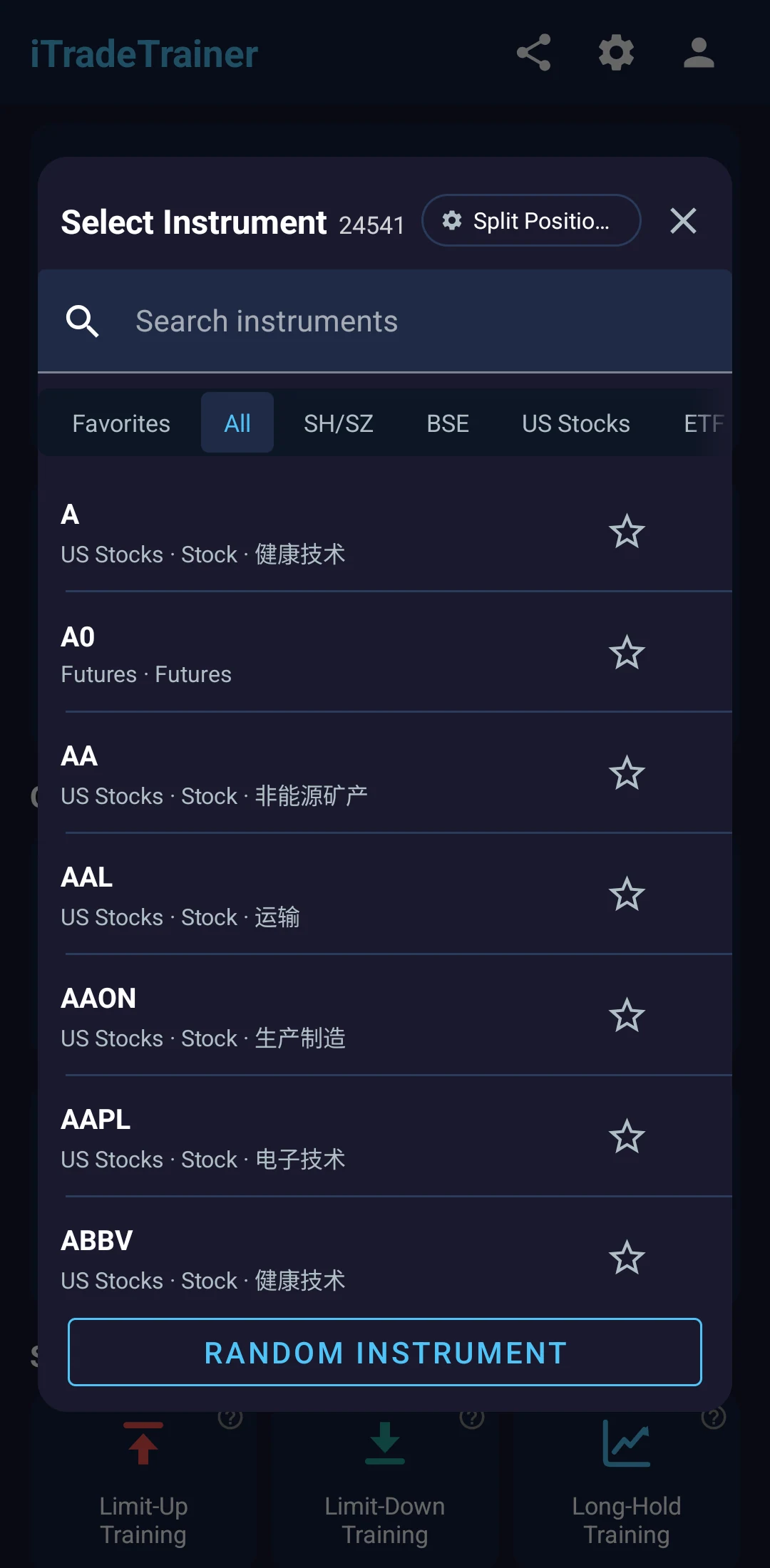
In Select Instrument, search by name or ticker, browse a category, or open Favorites. Tap a result to start. To change the training range first, tap the gear-labeled button on the right of the title bar.
Set up the practice session
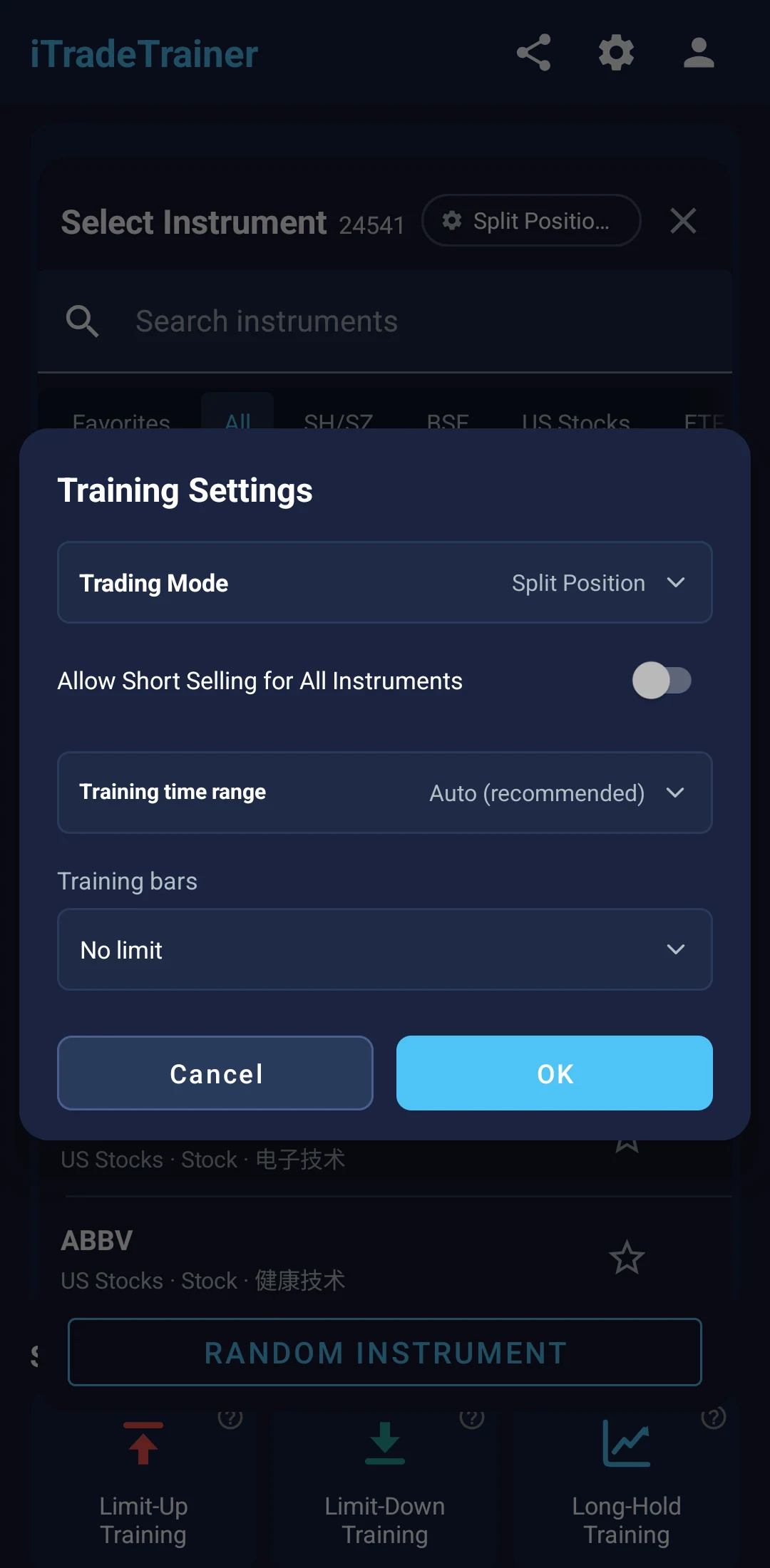
Set your Trading Mode, Training time range, and Training bars. A bar count sets the range in daily bars, and other timeframes stop at the same point. Tap OK, then choose an instrument from the list.
Try a different training mode
From the home screen, choose Double-blind Test to hide the instrument’s identity or Sector Test to practice in a particular sector. Scroll to Specialized Training for exercises such as Limit-Up Training, Limit-Down Training, or Long-Hold Training.