
Find an instrument by market, ticker, or name on mobile
Browse a category or search for an instrument, then set your training options and start a replay.
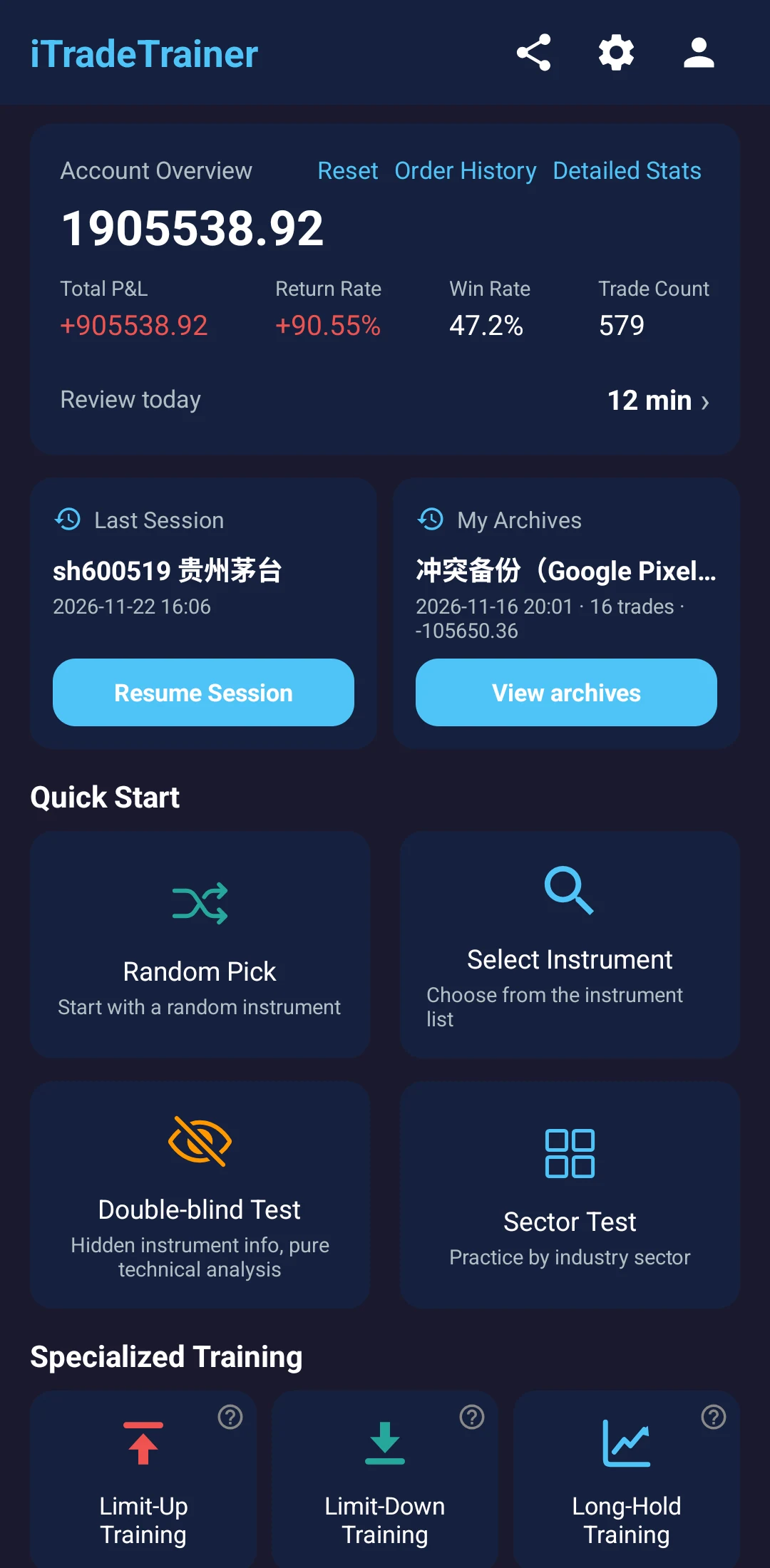
Open the picker from Home
Under Quick Start, tap the Select Instrument card with the magnifying glass.
Browse by market or search
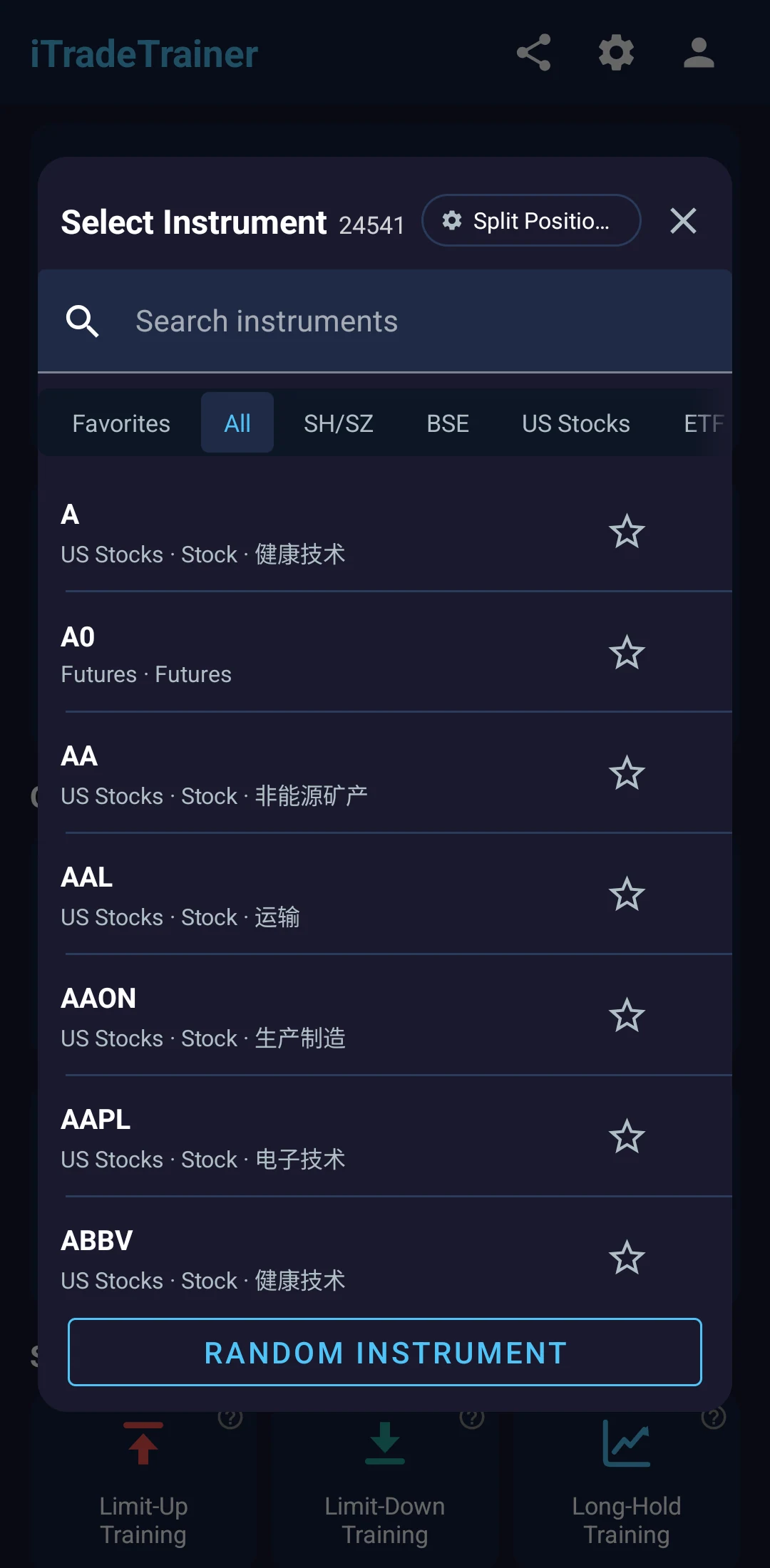
Enter a ticker or name in Search Instruments, or select a market tab below it. To change training options, tap the gear-labeled button on the right of the title bar.
Check the training options and start
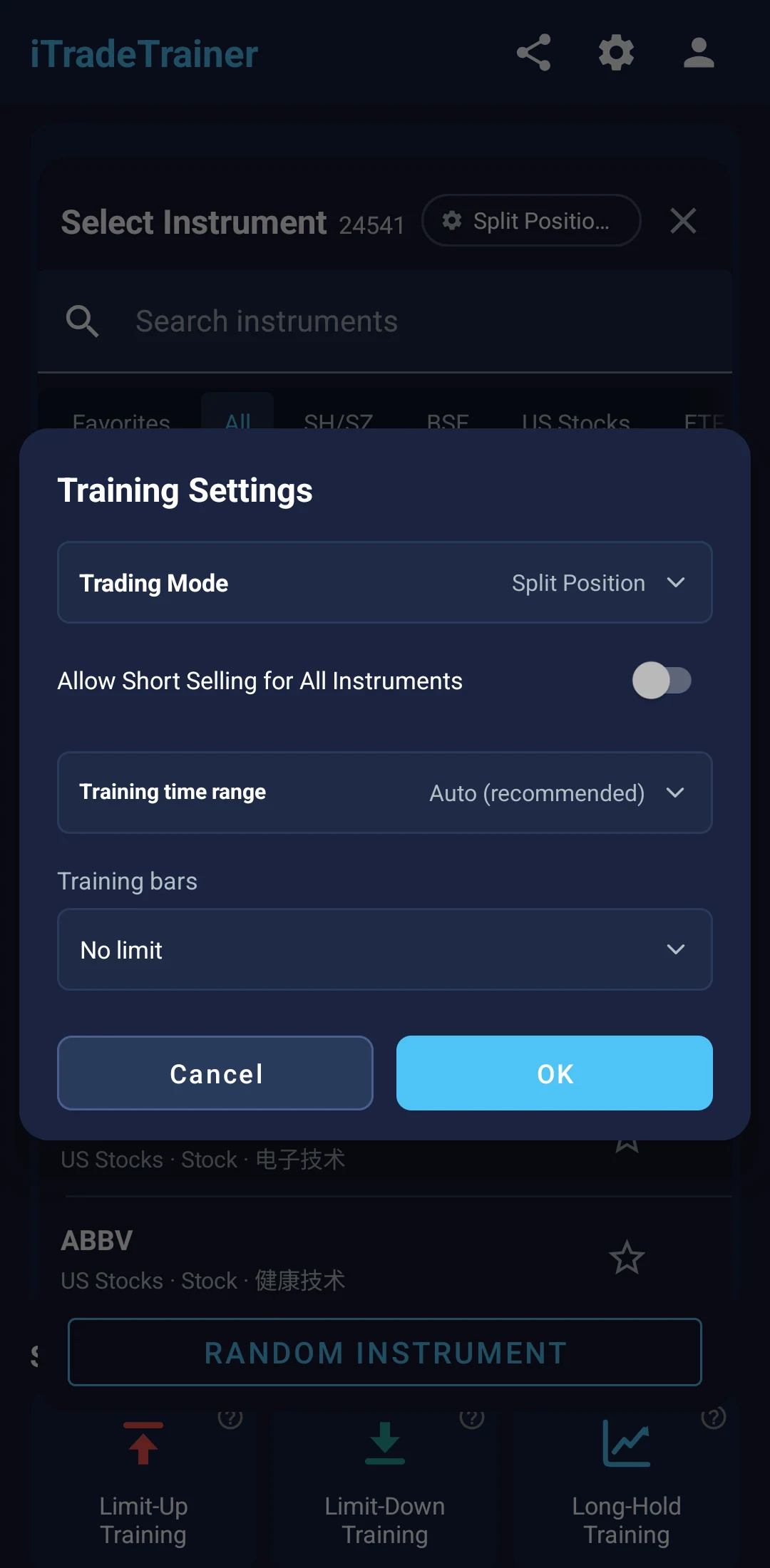
Set your Trading Mode, Training time range, and Training bars. Tap OK at the bottom right, then tap the instrument to open the trading screen.
Walk through a practice sessionSet a training date range, fixed start, and daily bar count