
How to get a DeepSeek API key
Sign in to the DeepSeek Open Platform, create an API key, and add it to the iTradeTrainer desktop AI assistant. Top up your balance if needed.
Sign in or create a DeepSeek account
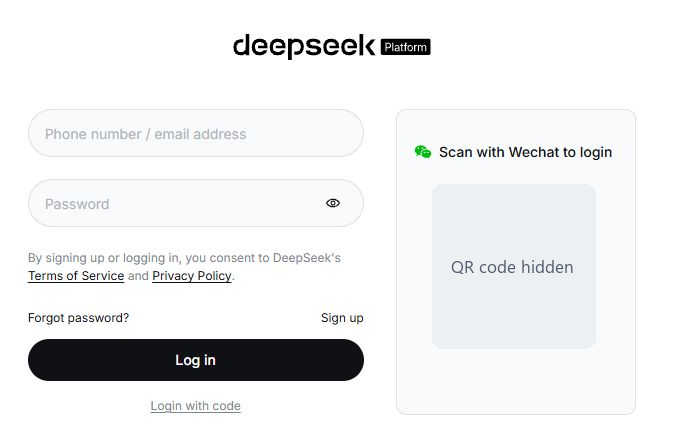
Sign in with your phone number or email and password, or choose Login with code. To create an account, select Sign up. Sign-in options can vary by region.
Open the API keys page
After signing in, select API keys next to the key icon in the left sidebar. Then select Create new API key at the right of the page.

Name and create the key
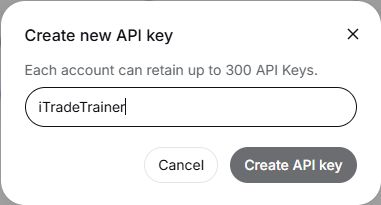
Enter a name you will recognize, such as iTradeTrainer, then select Create API key at the bottom right of the dialog.
Copy the full API key
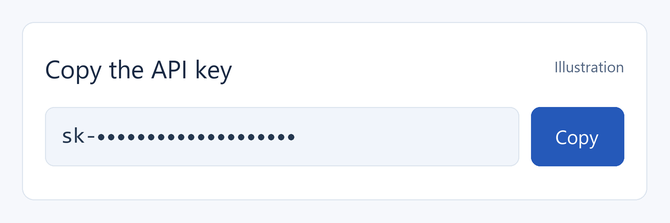
Select Copy next to the key while the confirmation dialog is open. DeepSeek shows the full key only when you create it. If you close the dialog before saving the key, create a new one.
Paste and save the key in iTradeTrainer
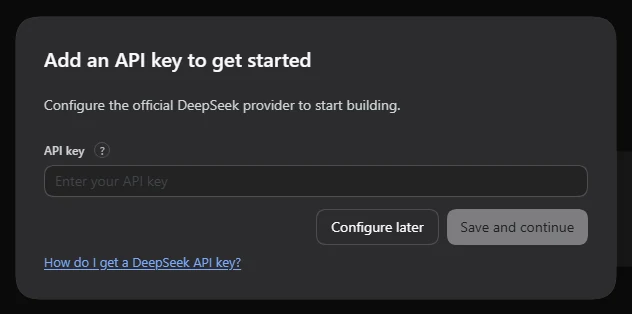
In the AI assistant setup dialog, paste the key into API key and select Save and continue. You can also open Settings → Models → DeepSeek → Edit, then paste and save the key.
Top up your DeepSeek balance
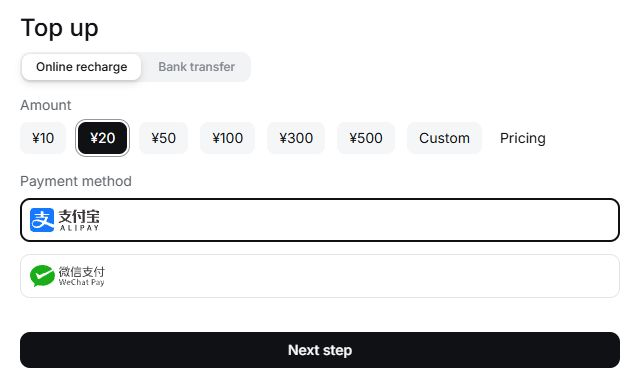
DeepSeek bills for API usage. If your balance is low, choose an amount and payment method under Online recharge. Select Next step at the bottom and follow the prompts to pay.
Keep your API key private
Treat your API key like a password and keep it out of chats, forums, and screenshots. If it is exposed, delete it on the DeepSeek API keys page, then create a new key and update the AI assistant.