
Open the desktop AI assistant and configure a model
Open iTradeTrainer AI Assistant from home and set up an available model before chatting.
Open the desktop AI assistant
Scroll to Help and Downloads on Home and click iTradeTrainer AI Assistant on the right.

Configure a model and your key
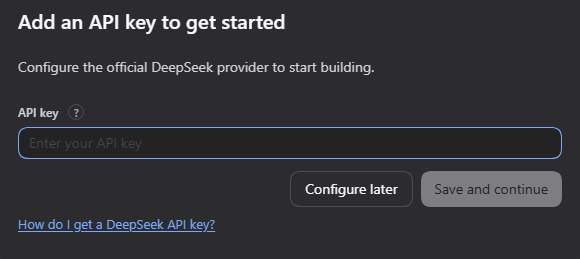
Follow the setup instructions. For DeepSeek, enter your own API key and check your API balance.
Check that the model can respond
Send a simple question without an attachment, such as asking what a candle’s close means.