
Import a broker statement or a previous trade export
Import CSV or Excel files from Order History and verify symbol matching and import results.
Open Order History from Home
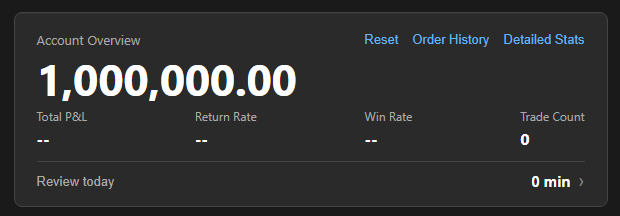
Click Order History at the top right of the Account Overview card on the left of Home.
Open a statement file
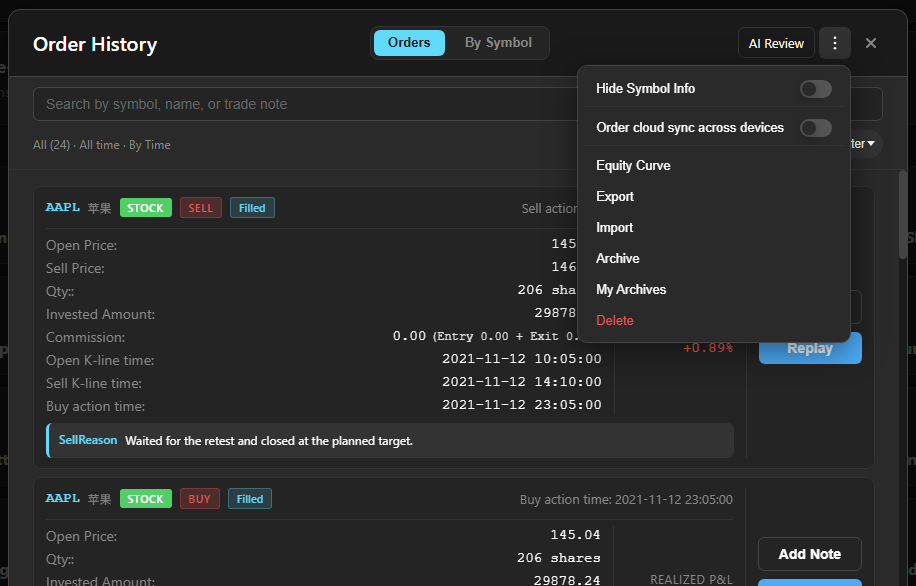
Click the three-dot menu at the top right of Order History, choose Import, and open a CSV, XLS, or XLSX with headers.
Choose append or replace
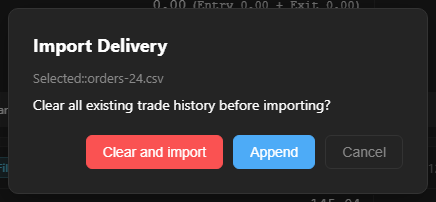
Choose Append to keep existing orders. A replacement clears current trading data, so save an archive first if you need it.
Reconcile the import result
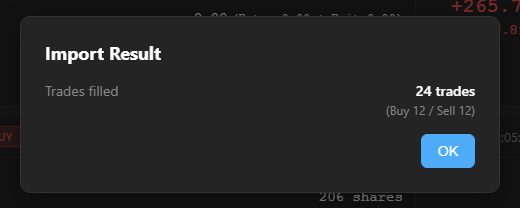
The example has 24 fills, with 12 buys and 12 sells. Check skipped rows, unmatched symbols, and remaining positions if the totals differ.
Spot-check order details
Compare the symbols, sides, times, prices, and quantities of two fills with the source file.