
Place a limit order and cancel it before it fills
Set a limit price and size, then check the pending order as the replay progresses.
Choose Limit next to Market
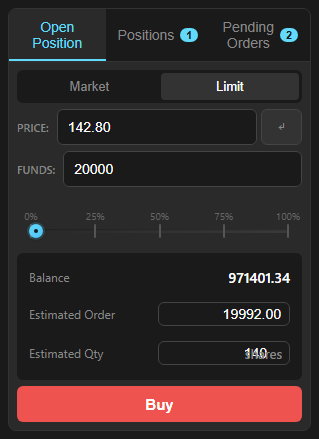
In the right-hand entry tab, choose Limit. Enter the price and size, then click Buy.
Open Pending Orders on the far right
Check the card’s trigger. A higher limit generally checks bar highs and a lower limit checks lows.
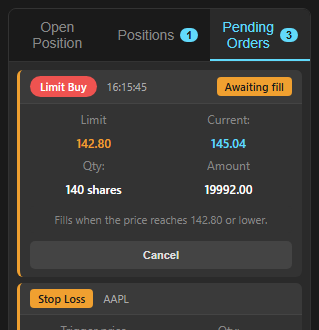
Replay until it fills or click Cancel
Advance the replay and inspect the fill, or use Cancel at the bottom of a waiting order card.