
Set stops, profit targets and partial exits
Define a price or percentage trigger and a fixed quantity for each exit order.
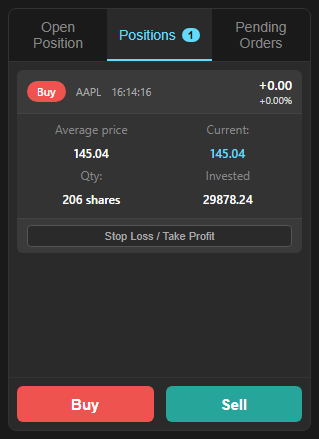
Choose Stop Loss / Take Profit on the position card
Open the middle Positions tab, find the intended holding and click the wide button at the bottom of its card.
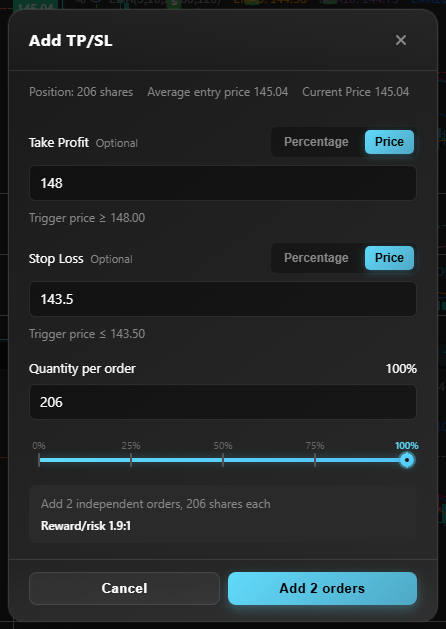
Choose the trigger type and exit size
Use the toggle at the top right of each field. Set the trigger and quantity, then use the add button below.
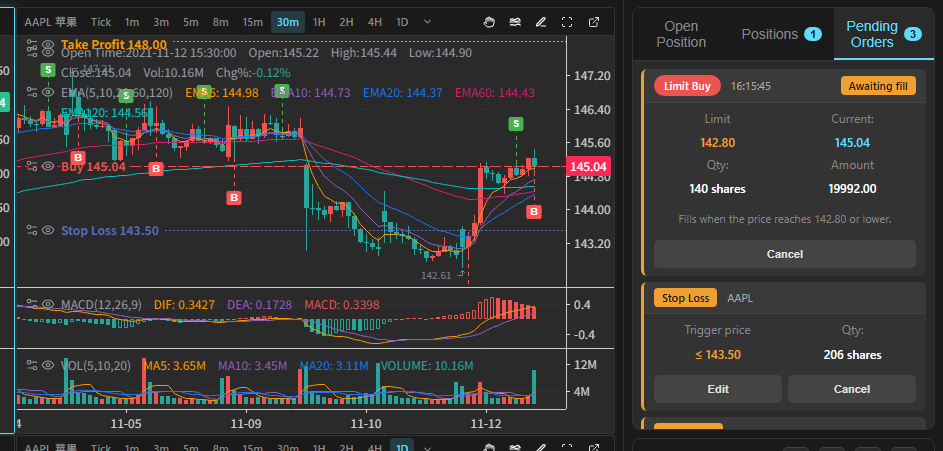
Check the exit lines
After saving, compare the chart levels with the trigger and size in Pending Orders.
Add a separate rule for each exit
Use separate rules for different levels. A 100% choice still saves the current quantity as a fixed size.
Walk through a practice sessionFilter, sort and group your order history