Sign in, register, or reset your password on mobile
Sign in from the home screen, or use a verification code to register or reset a password.
Find the account entry on the home screen
Tap the person icon at the far right of the header. It opens the sign-in form when signed out and the account menu when signed in.

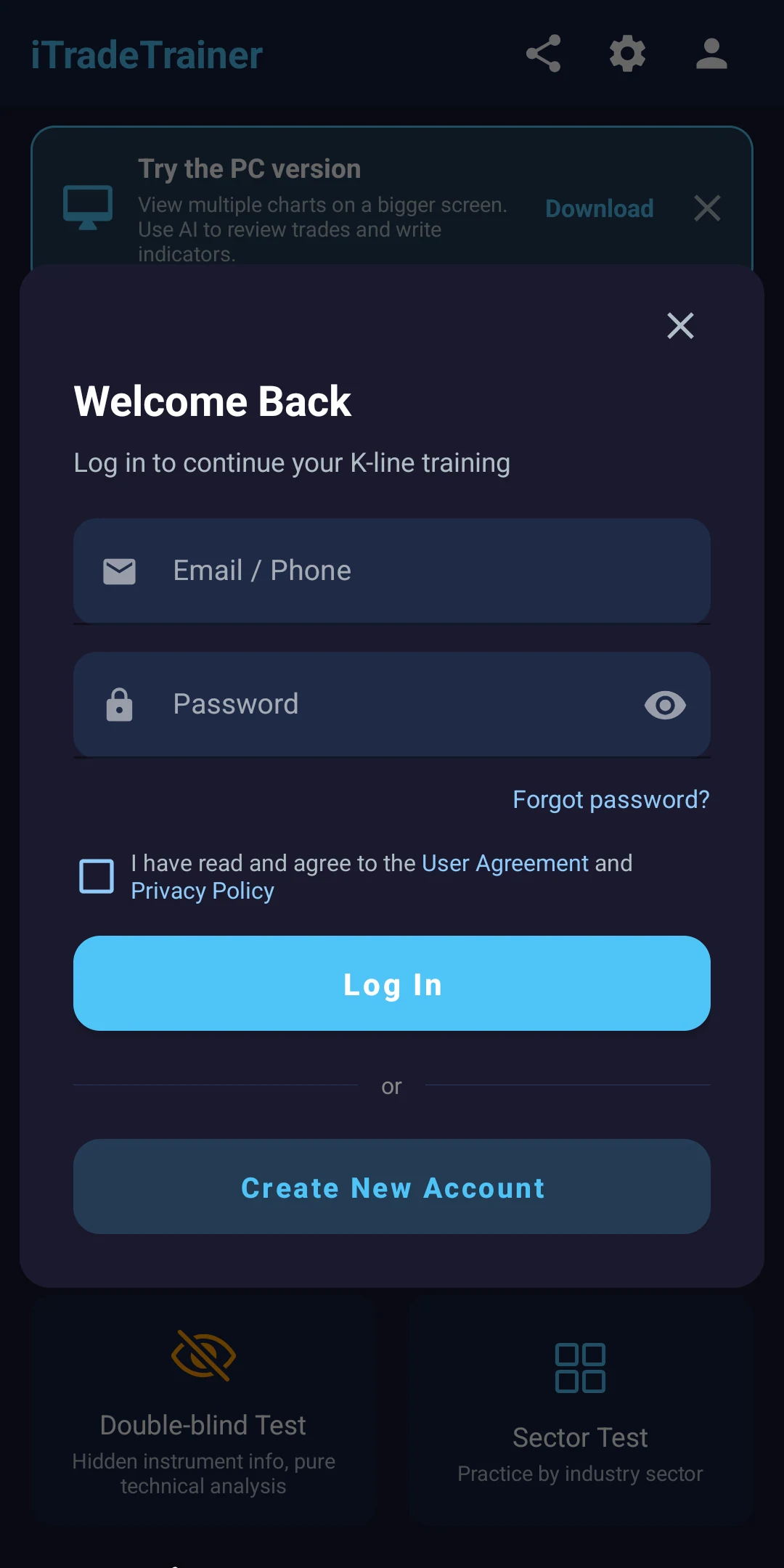
Sign in to your account
Enter your email or mobile number and password. Review and accept the terms and privacy policy, then tap the blue Log In button.
Open the registration form
Tap Create New Account at the bottom of the sign-in dialog.
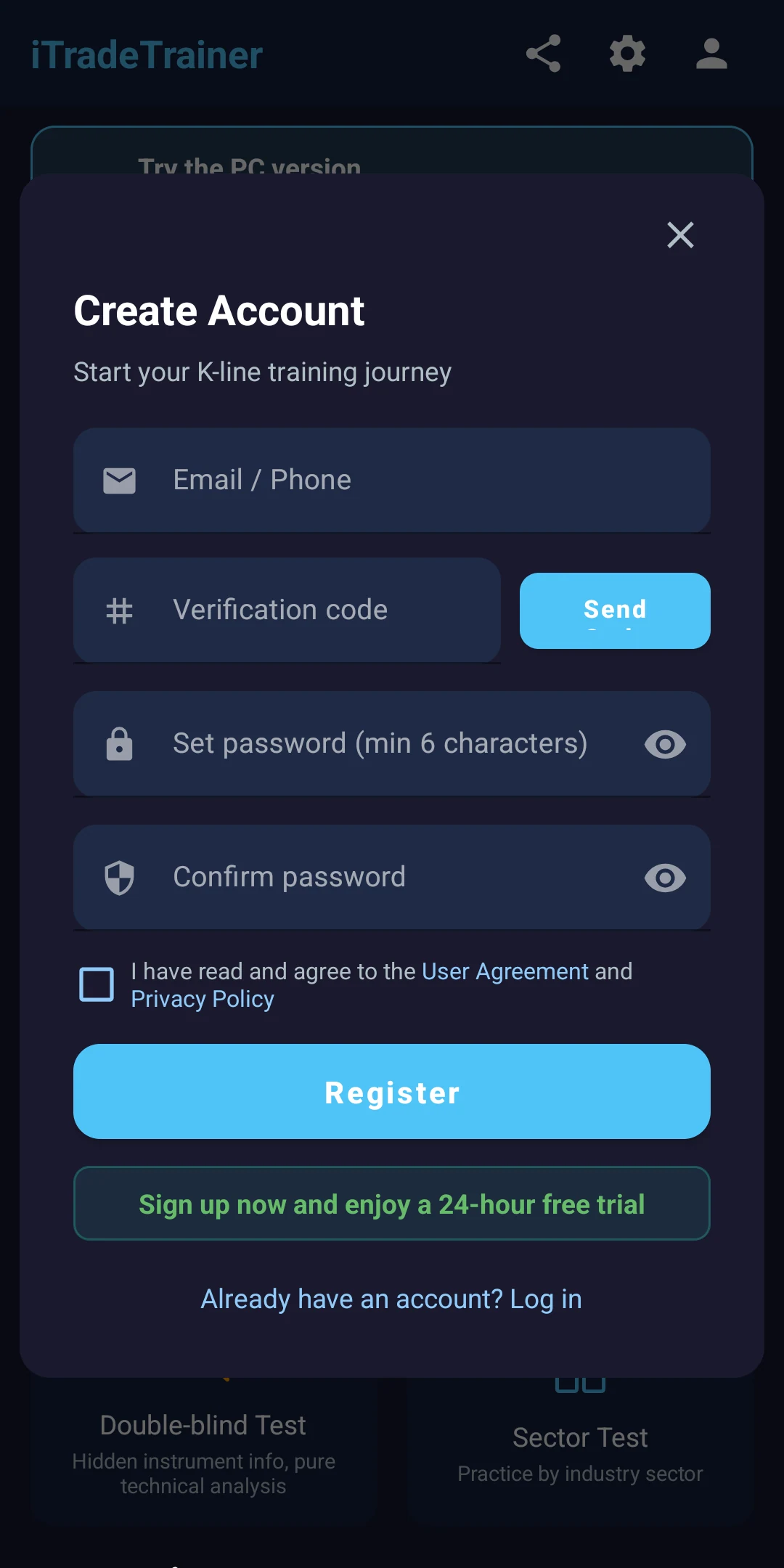
Create an account
Enter an email address or phone number and tap Send Code. Enter the verification code, then set and confirm your password. Review and accept the terms, then tap Register.
Find the password reset link
Return to the sign-in dialog and tap Forgot password? below the password field on the right.
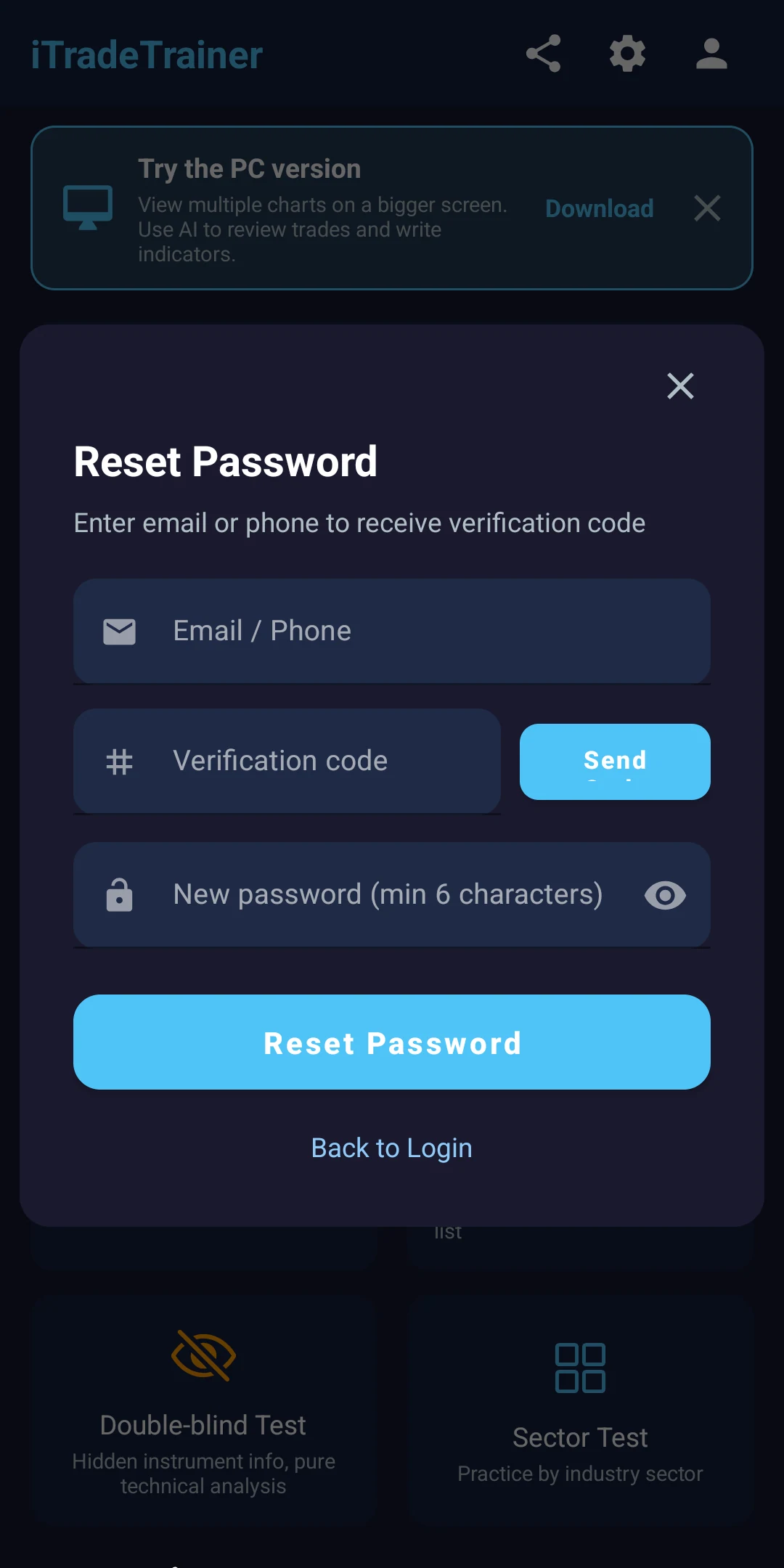
Reset a forgotten password
Enter the email address or phone number you used to register and tap Send Code. Enter the verification code and a new password, then tap Reset Password. Return to the sign-in screen when finished.