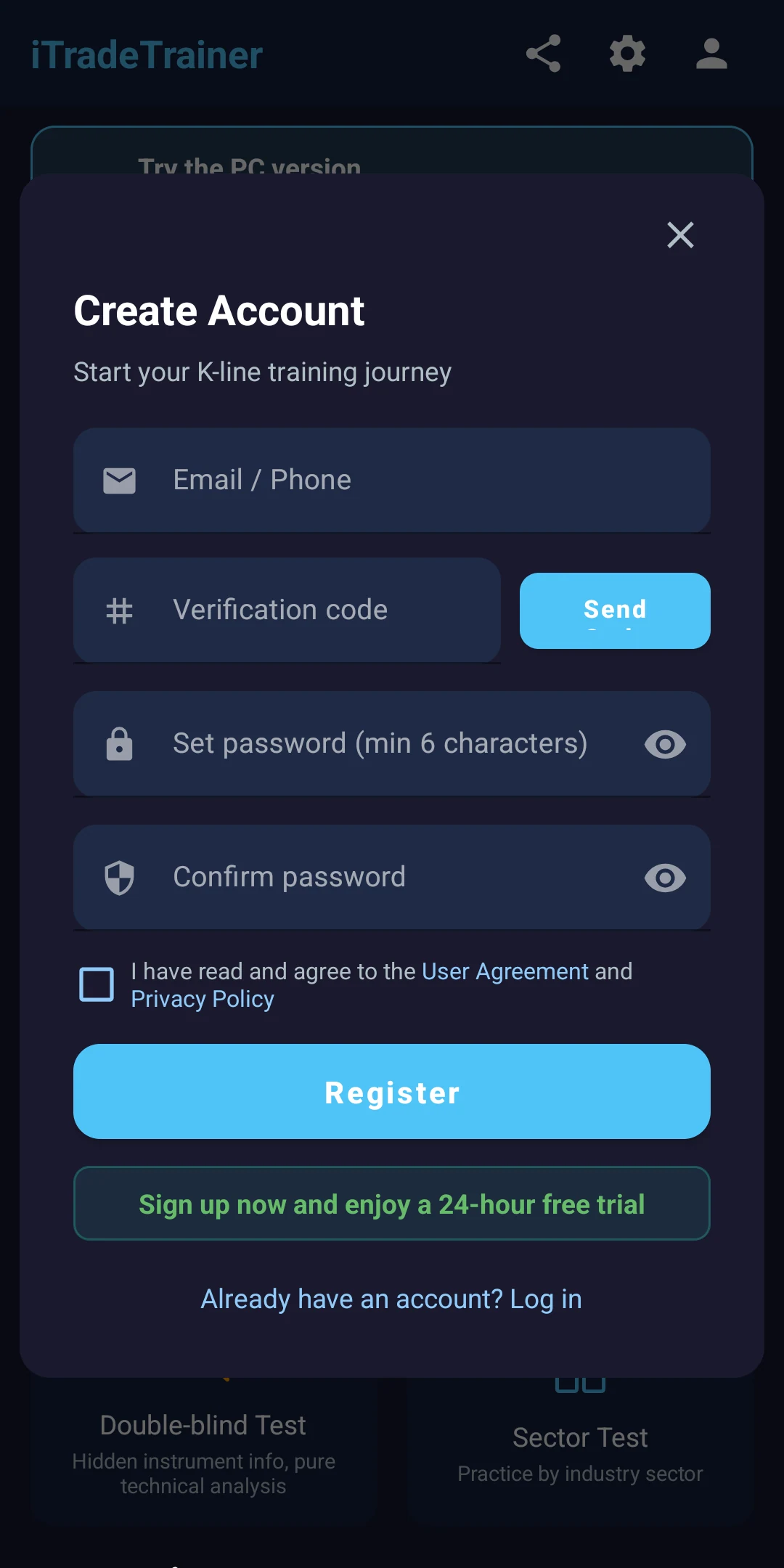
Create a mobile account with an email address or phone number
Open the registration form from Sign In, verify your email or phone number, and set a password.
Open the registration form
Tap the account icon on the home screen, then tap Create New Account at the bottom of the sign-in form.
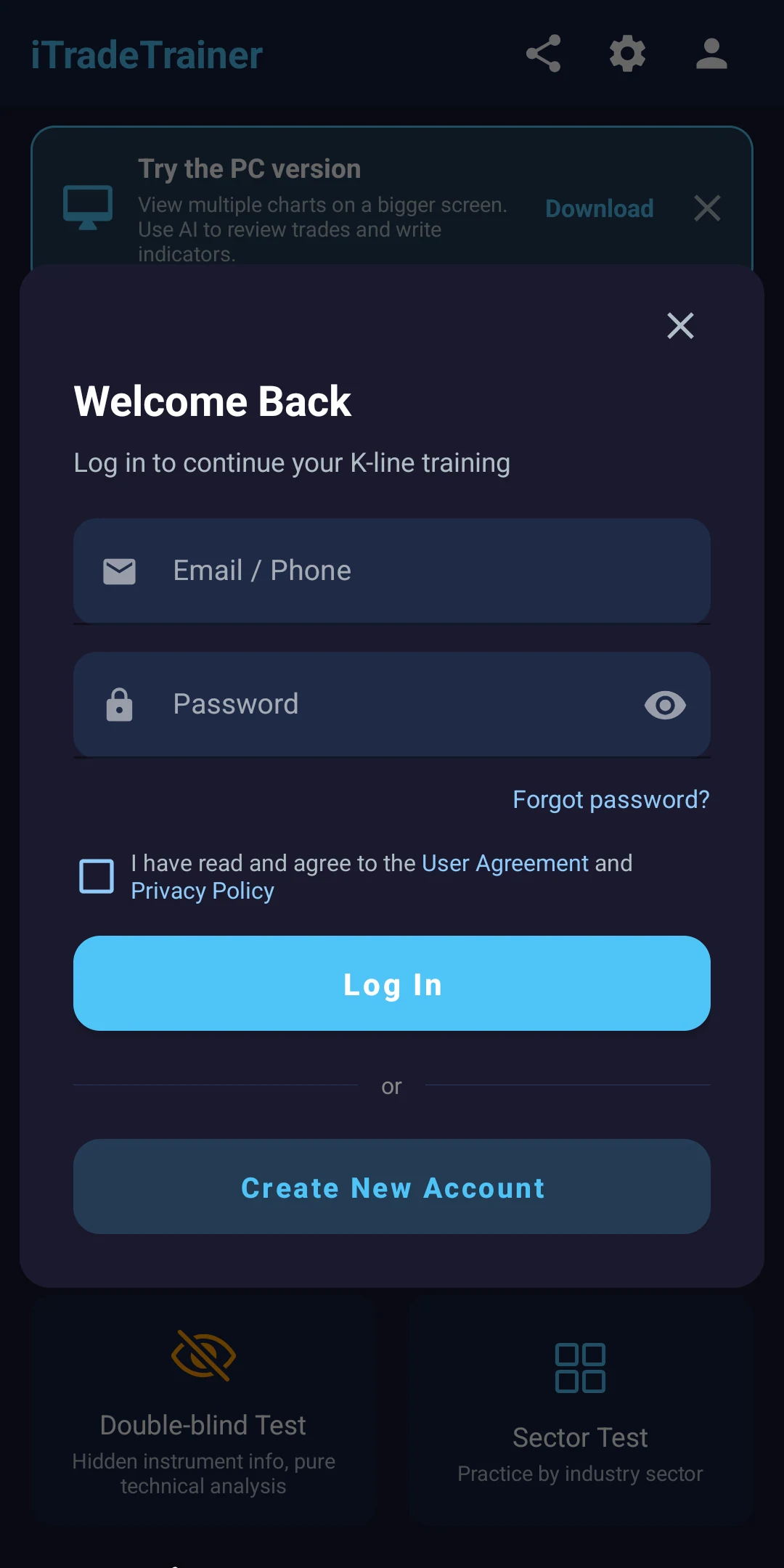
Verify the account and set a password
Enter your email or phone number and tap Send Code. Enter the code you receive, choose a password and confirm it, then review and accept the terms and tap Register.