
Play, pause, step through bars and adjust speed
Use trading-page controls or shortcuts and set the interval and timeframe for playback.
Select the daily chart and step forward
Pause, select the daily chart and use the step button to the right of Play.

Check which candle completed
Compare the chart date and latest candle. After a timeframe switch, the first step may align to the current close.
Open trading settings with the gear
Click the gear at the right of the trading toolbar, then choose Other Settings on the left.

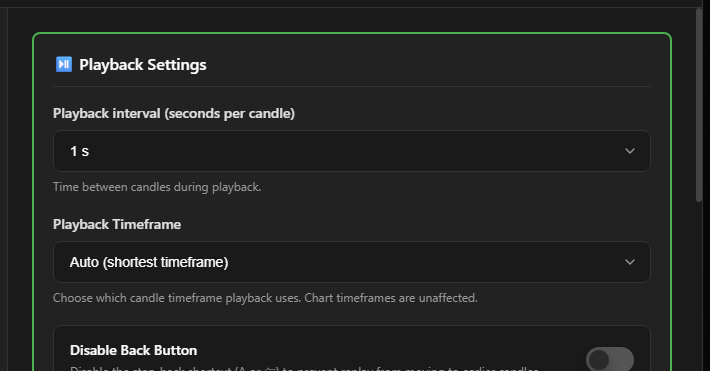
Set playback interval and timeframe
Choose Playback Interval and Playback Timeframe separately. Save, then use Play or Space to toggle playback.
Review earlier candles and verify fills
Use Back when available to inspect the chart. Check completed fills in Order History.
Walk through a practice sessionUse market orders to buy, sell, go long or go short