
Check review time, account reports and share cards
See your practice time and results on the home screen and review a share image before saving it.
Find review time and reports on Home
In the Account Overview card on the left, use Review Today at the bottom or Detailed Stats at the top right.
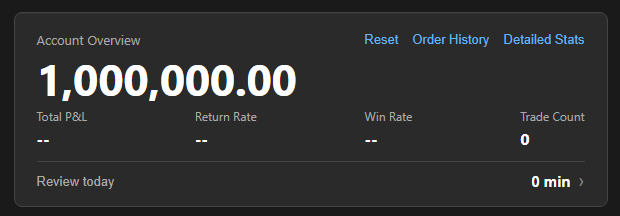
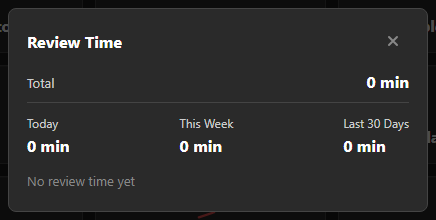
Check practice time for the week
Compare today, this week, the last 30 days, and the lifetime total.
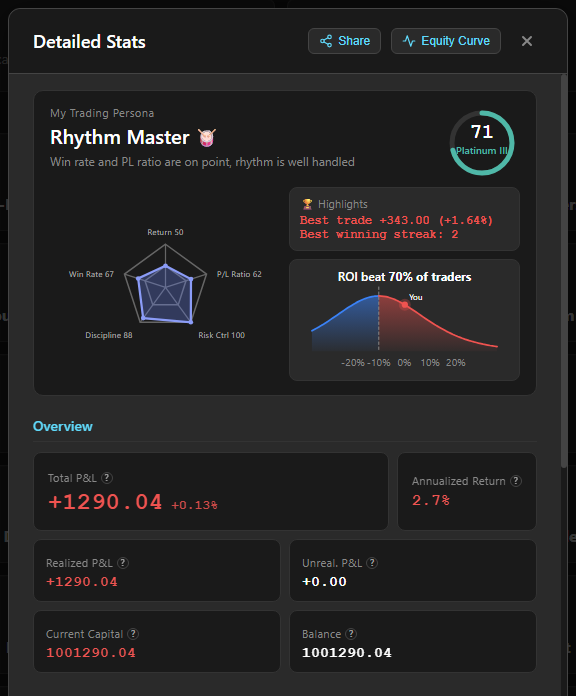
Open the full report
Check P&L and the closed count. The connected-dot Share button at the top right opens an image preview.
Or open sharing from trading
Click the connected-dot icon in the P&L Statistics header on the right. Its tooltip is Share Trading Results.
Save the appropriate share image
Check the dates and figures in the preview, then choose Save Image.